Nextcloud Hub
Nextcloud Hub is a secure, self-hosted collaboration platform that brings together messaging, file sharing, project management, and video calls into one unified workspace. It’s ideal for teams that want to collaborate efficiently while maintaining control over their data.
CanTrust is Canadian owned and operated
Who would use Nextcloud Hub?
- • Anyone that wants to keep their data in Canada.
- • Canadian businesses that want to keep their data local and secure.
- • Remote teams that need a central place to communicate and collaborate.
- • Organizations that want to avoid reliance on foreign cloud providers.
- • IT departments looking for a scalable, secure, and compliant solution
What is Nextcloud Hub
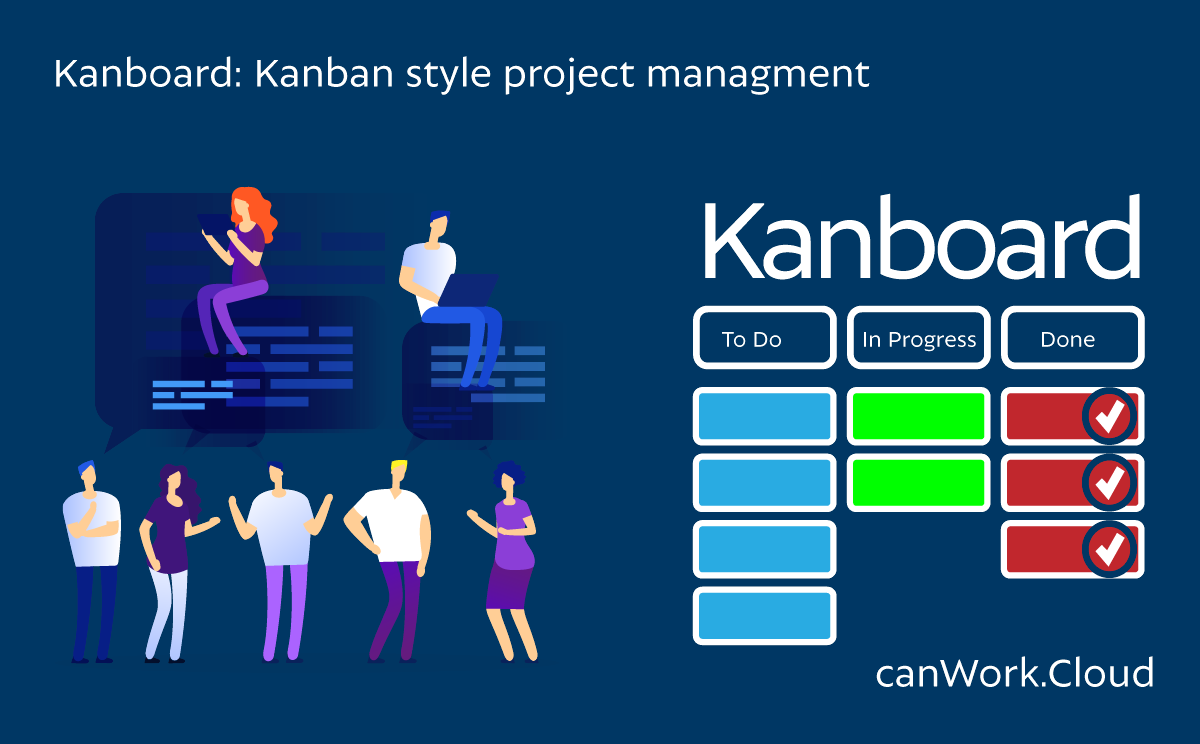
Kanboard is a visual board that represents work at different phases of a process. Cards are individual tasks and columns indicate each step of the process.
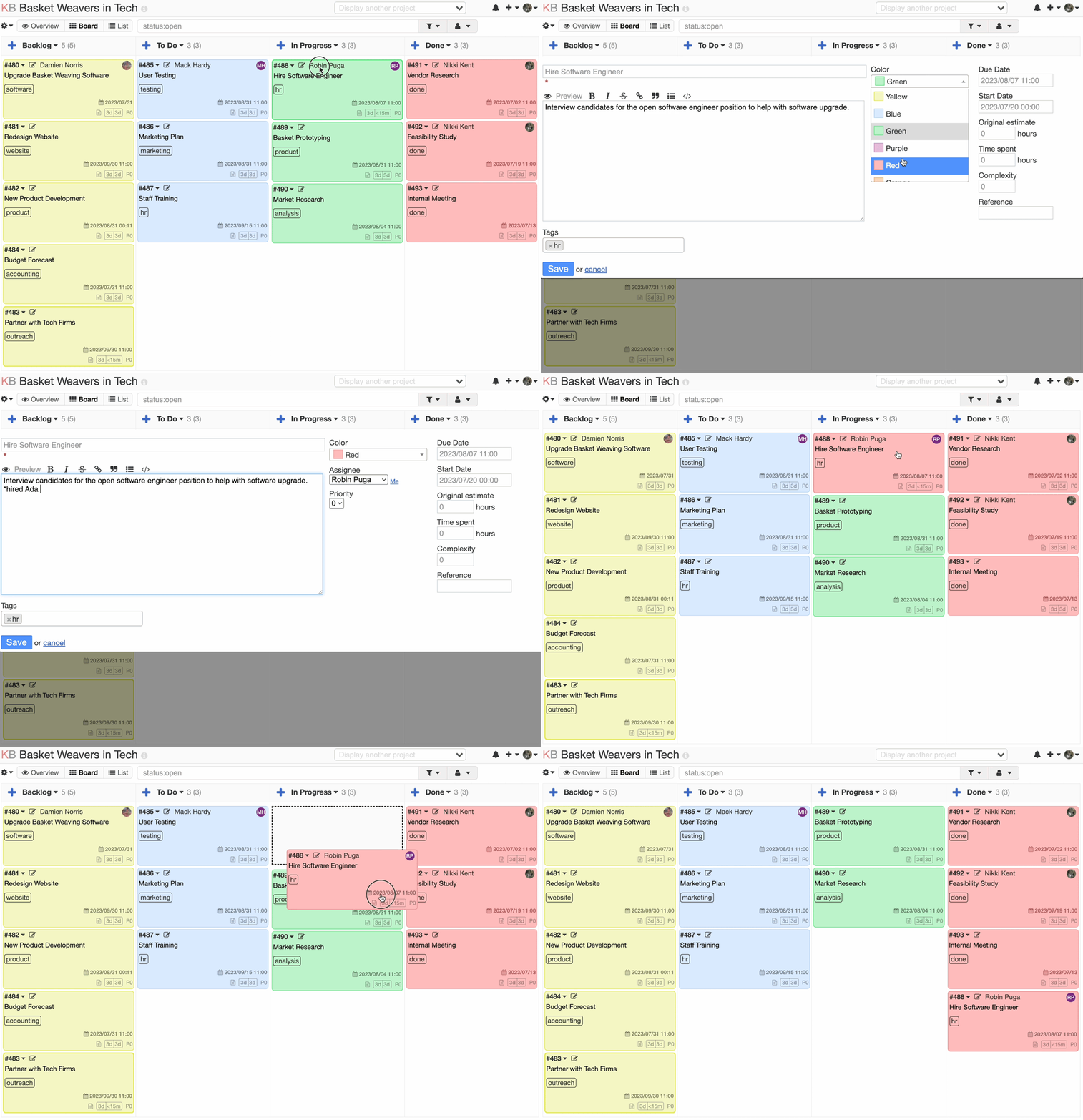
Here’s how an organization can use Kanboard
VISUALIZING WORKFLOW
Kanboard provides a digital board where teams can create columns representing different stages of their workflow. Each column typically represents a specific status or stage, such as “To Do,” “In Progress,” “Review,” and “Done.” Tasks or work items are represented as cards that can be moved across the board to indicate their progress.
WORK TASKS TRACKING
Teams can create work items or tasks and assign them to individuals or teams. Each task can have details like a title, description, due date, and associated tags or labels. By moving cards across the board, team members can track the status of each work item and understand where it stands in the overall workflow.
WORK IN PROGRESS (WIP) LIMITS
Kanboard allows organizations to set limits on the number of tasks that can be in progress in each column. This helps prevent overloading team members and ensures a balanced workflow. WIP limits encourage teams to focus on completing existing tasks before starting new ones, which improves efficiency and reduces bottlenecks.
COLLABORATIVE WORK
Kanboard facilitates collaboration within teams. Team members can add comments, attach files, and have discussions on individual tasks. This helps improve communication, allows for knowledge sharing, and ensures everyone is on the same page regarding task progress and requirements.
TASK PRIORITIZATION
Kanboard provides features to prioritize tasks within each column. Teams can use methods like drag-and-drop or setting task priorities to ensure that high-priority items receive the necessary attention.
REPORTING AND ANALYTICS
Kanboard offers various reporting and analytics features to track project progress and performance. Organizations can generate charts, reports, and metrics to monitor key performance indicators (KPIs) and identify areas for improvement. This data can help in making data-driven decisions and optimizing workflow efficiency.
By utilizing Kanboard, organizations can improve their project management practices by visualizing and optimizing their workflows, enhancing collaboration, and gaining better control and insights into their projects.
Features
HIGHLY CUSTOMIZABLE & CONFIGURABLE BOARDS
- The boards are easy to customize and can be catered specifically to an organization’s or project’s needs
- Board templates can be duplicated to save work and time, including automation settings
COLOUR CODING: KANBOARD ALLOWS YOU TO COLOUR CODE IN TWO WAYS
- Manual Colour Coding
- the entire card can be assigned a colour to help organize tasks
- tags can be assigned a colour
- categories can be assigned a colour
- Automated Colour Coding
- if a team member is assigned in a task, the card can be changed to the colour assigned to the team member
- you can also automate the colour of the card to change based on priority, task overdue status (expiry date), or based on what column the task is moved to
CUSTOMIZING AND AUTOMATING TASK BEHAVIOUR: BEHAVIOUR OF TASKS CAN BE AUTOMATED
- Tasks can be moved to different columns based on specific activities or lack of activity such as no activity for x period of time, or assigning a user or marking a task as closed.
NOTIFICATION PREFERENCES ARE CLEAR AND EASY TO USE, AND THEY WORK RELIABLY
- KanBoard has a clear notification preference interface.
- Notifications arrive reliably.
ABILITY TO UPLOAD FILES AND SCREENSHOTS
- Uploading files is great, especially (because it is securely hosted).
EXCELLENT FILTERING WITH CUSTOM FILTER OPTION
- Being able to create custom filters for team re-use ie. “All tickets with assignee = Name + category = tech”
- Being able to search all task titles with partial-word searches, which is highly valuable for quickly finding the task card
ADD SWIMLANES
- Swimlanes are horizontal separations on your board.
- They can divide your tasks by type.
- Are easily collapsed.
Use Case Sample: Organization Wide Planning
Organization-wide Project Management
- Setting up boards for separate projects or different departments allows the organization to centralize all of their priorities
- Unlimited users can be added, board members, staff, and volunteers can be added to appropriate projects without fear of extra costs.
- Clear and easy to use permissions ensure that individuals only have access to the boards and tasks that they should see
Grant Tracking
- A grant tracking board serves several important purposes and functions related to grant process including foreseeing grants, meeting deadlines, submitting reports, and tracking successful vs. unsuccessful applications.
- Can be expanded to better understand which revenue streams are supporting which projects as well
Production/Workflow Planning
- The KanBoard’s flexible customization means that the board can be very specifically catered to serve the needs of a workflow or production plan.
Use Case Sample: Single Project
Using a Kanban board with three columns (To-Do, In Progress, Done), you can visualize and manage any project.
- To-Do: Tasks that need to be started
- Create Cards for each task and add any folks you want to each card / task
- In Progress: Tasks currently being worked on
- Cards: When you start working on a task, move it to this column.
- Done: Tasks that are completed
- Cards: Once you’ve finished a task, move its card here.
Process
- Task Creation : Create cards for each task that needs to be completed.
- Work on Tasks : Start working on the tasks listed in To-Do and move them to In Progress as needed.
- Progress Tracking : Move the card through the columns as work progresses
◦ From To-Do to In Progress when starting a task
◦ From In Progress to Done when completing a task - Completion : Once all tasks are completed, review the board to ensure the webpage is ready for viewing.
Free Privacy tools to keep your data safe
Most free tools online are not really free. They display ads and track you! Here are some free Open Source tools that respect your privacy.
- Hosted in Canada (no secretive government surveillance laws)
- 100% Open Source (no secret malware code hiding in black box apps)
- No trackers or ads (no 3rd party surveillance, or malware via ad code)
- Free for use (no cost to you or your organization)
Need a more complex project management, file sharing, or collaboration system?
Try canWork.Cloud. A complete set of business tools.
Imagine, Dropbox, Asana, Google Workspace, Calendly, and Doodle, all in one place, working together.
Nextcloud Hub is a powerful and feature-rich open-source collaboration platform that provides a wide range of tools and functionalities for file sharing, document collaboration, communication, and more. It is designed to empower individuals and organizations with secure and private control over their data while facilitating seamless collaboration and productivity.
It’s the most popular self-hosted collaboration tool used by thousands of organizations across the globe.
- Backup and share files with your team members and the public with Nextcloud Files
- Calendar, contacts, and tasks: Nextcloud Hub features a comprehensive calendar and contacts application that allows you to manage your schedule, share calendars with others, and synchronize contacts across devices. It also includes a task management system for organizing and tracking your to-do lists.
- Collaborative document editing: Nextcloud Hub includes Collabora Online, an integrated office suite that enables real-time editing and collaboration on documents, spreadsheets, and presentations. Multiple users can work on the same document simultaneously, enhancing productivity and teamwork.
- Communicate in text and video meetings with Nextcloud Talk and Jitsi
- End-to-end encryption and security: Nextcloud Hub prioritizes data security and offers end-to-end encryption to protect your files during storage and transfer. You have full control over encryption keys, ensuring that only authorized individuals can access your data.
- Organize your team with polls, kanboards, appointment calendar, tasks, rich workspaces, file locking, group folders and circles apps
- Cost-effective and scalable: Nextcloud Hub’s Open Source nature means there are no licensing fees associated with its core functionalities. It can be deployed on existing infrastructure, reducing costs compared to proprietary solutions. Additionally, Nextcloud Hub is highly scalable, allowing you to adapt it to your organization’s growing needs.
- Compliance and regulations: Nextcloud Hub offers features and options to help organizations comply with various data protection regulations, such as GDPR (General Data Protection Regulation). It includes features like activity logging, data retention policies, and access controls to aid compliance efforts.
Agile Teams with Nextcloud
File Sync, Sharing and Collaboration
Integrated Office Document Collaboration
Remote work with Nextcloud
Nextcloud Talk
Nextcloud Photos
Nextcloud Collectives Wiki
Nextcloud Forms
Nextcloud Appointments
Nextcloud File Locking
Workflow and organizing shared files
File Sharing
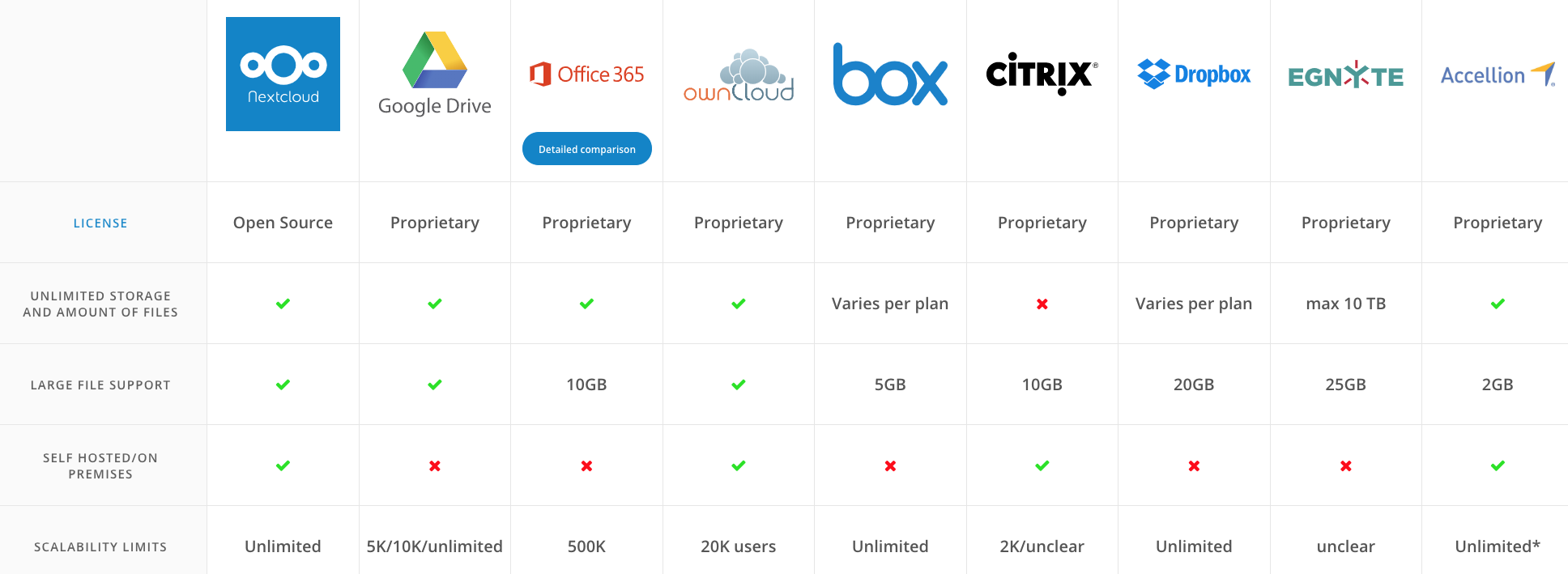
How does Nextcloud compare to other options?
When comparing Nextcloud with other options, consider factors such as data privacy, customization options, integration capabilities, collaboration features, deployment flexibility, and the level of control you require over your data. Your specific needs, including security requirements, scalability, and desired level of administrative control, will influence which option is the best fit for your organization.